
Bootstrap Navigation for Office 365 & SharePoint 2013 using jQuery and REST
Introduction In my last post I talked about making the SharePoint navigation render in a Bootstrap friendly way. I suggested that you could …
33 posts
Introduction In my last post I talked about making the SharePoint navigation render in a Bootstrap friendly way. I suggested that you could …

Updated 10-5-2016: Included link to javascript version of bootstrap navigation Updated the navigation code to detect in active -> …
Introduction I recently came across an interesting blog – http://www.n8d.at/blog/office-365-icon-font-documentation/ which mentions O365 …

These are a few of my favorite and go to JavaScript libraries. These tend to work well in SharePoint with no problem. This is my…
My new favorite thing is creating all my style sheets with SASS. SASS makes writing my style sheets faster, easier, cleaner, and more …
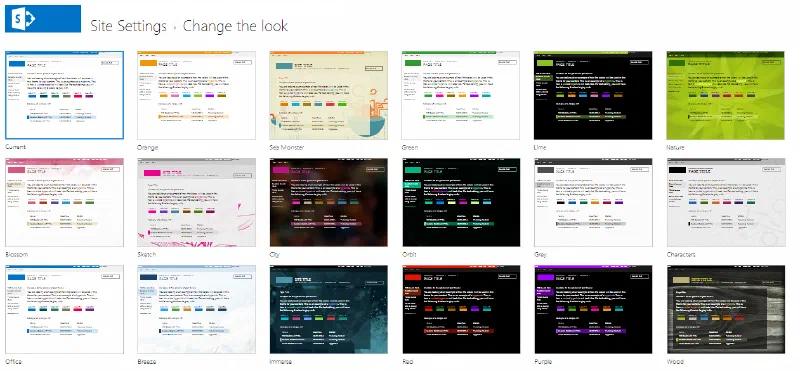
Back in December I posted a lengthy article on how to deploy a Composed Look for SharePoint 2013. If you haven’t read that it can…
Last year I posted a blog article which described the issue with SharePoint 2010 and having a footer. Well similarly SharePoint 2013 has …
There is a tool released by Microsoft to assist with building SharePoint 2013 Themes more specifically the theme color palettes. This will …
What is cache busting? Cache busting is way to ensure that the browser will download a new version of your file. This is easily …
Applying a theme has change from SP2010 to SP2013, here is a link to the method to apply a composed look. SPWeb.ApplyTheme( string …
There are two ways to deploy your custom composed look. Via XML / Elements file – the declarative way, or via feature receiver / C#…
I’ve been experimenting heavily lately with SharePoint 2013 and the entire process wrapped around Branding sites. I am one of those people …