Someone new starts on Monday. Did anyone order the laptop? Did they fill in their forms? Has their manager sat down with them yet? Onboarding Checklist puts all of that on a SharePoint page, so new starters know what to do next and everyone else can see how it's going.
Nothing extra to host
New starters, tasks and progress all live in SharePoint lists on your own site. There's no server to run and no outside service to sign up for.
One button to set up
Add the web part to a page and click Set up onboarding. It builds its own lists and permissions, and offers a starter set of 17 common tasks to change to suit.
No extra permissions
There's no permission request for IT to approve, because it only uses SharePoint. It doesn't send email either.
A clear first month for the new starter#
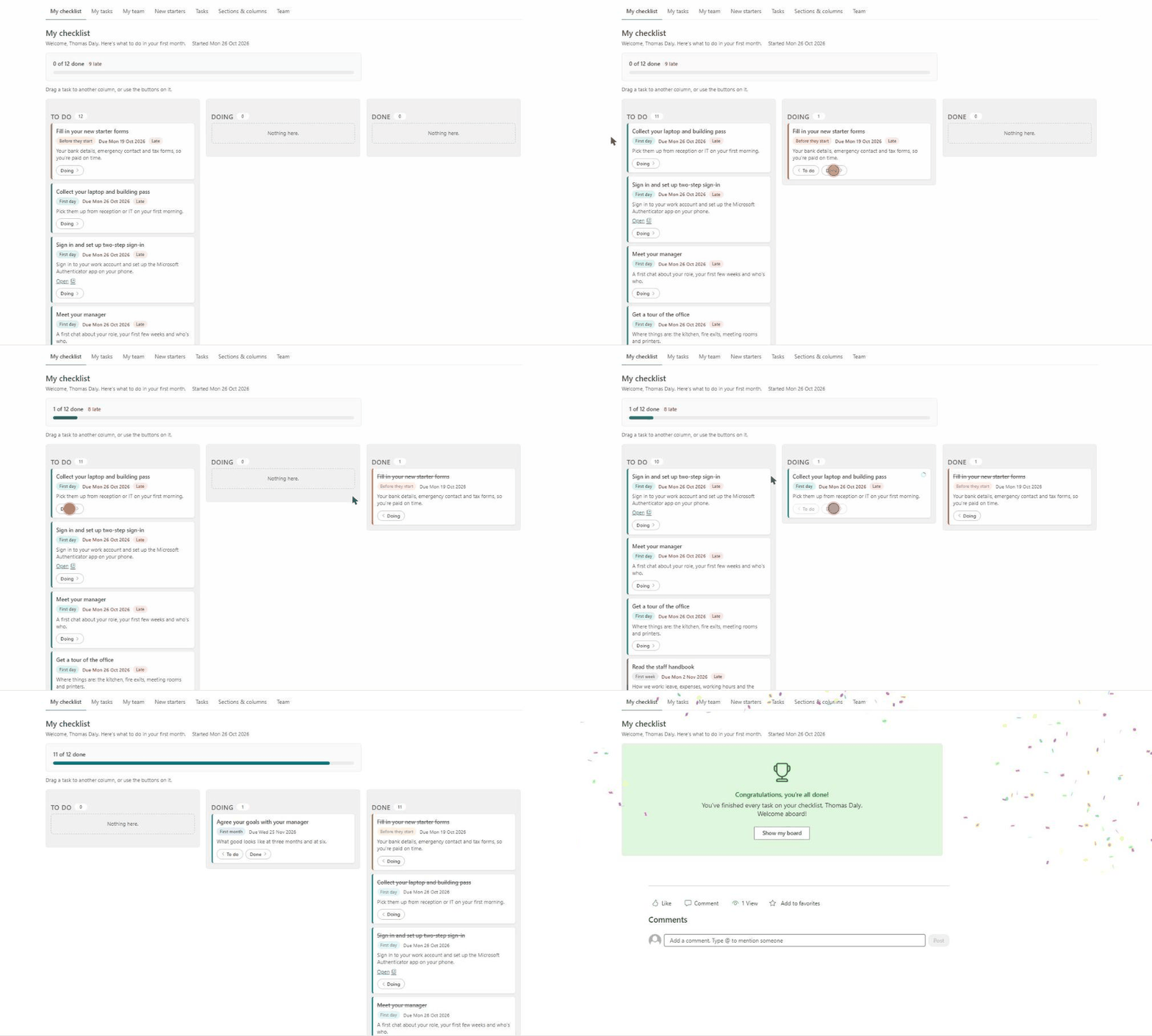
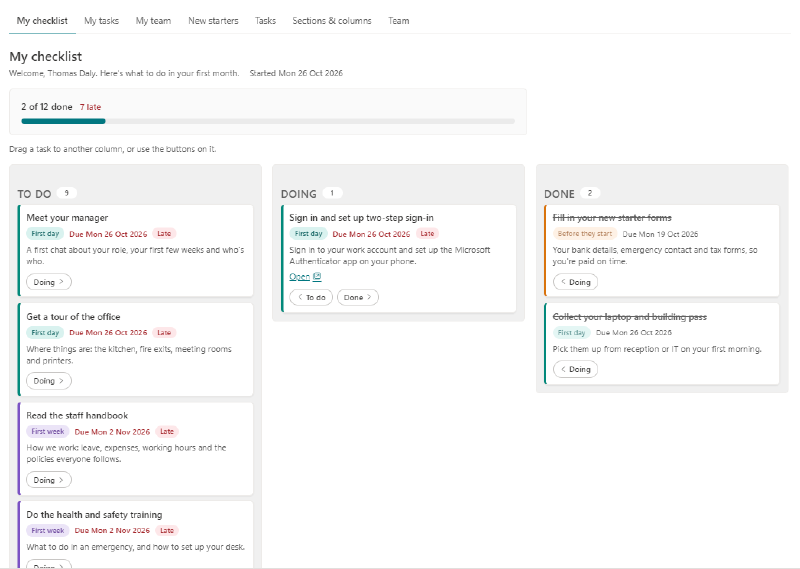
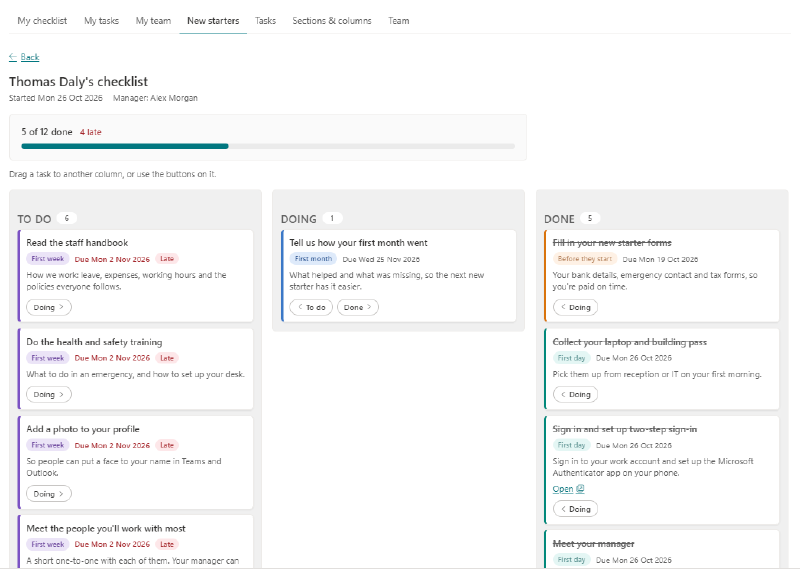
New starters open the page and see My checklist, a board with their tasks on it. They drag a task to another column or use the buttons on the card, and each move saves straight away.
Every card says which part of the month it belongs to, when it’s due and whether it’s late. Tasks can carry a link too, so “Set up two-step sign-in” takes them straight to the right page.
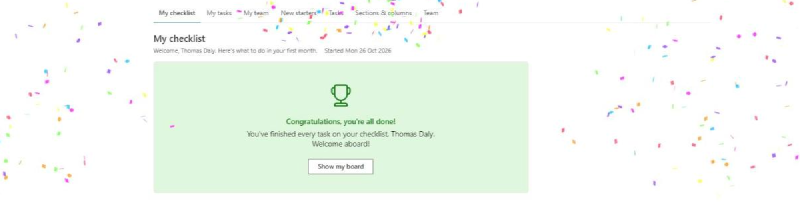
Finish everything and the board gives way to a congratulations message and a burst of confetti. It’s a small touch, but it’s a nice way to end a first month.
The jobs that happen before they arrive#
A good first day starts weeks earlier. Someone has to order the laptop, set up the account and assign the licenses.
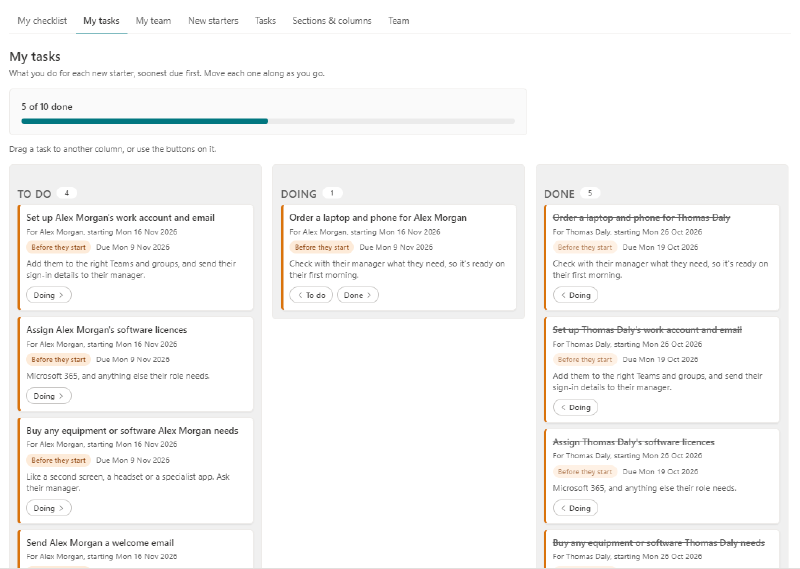
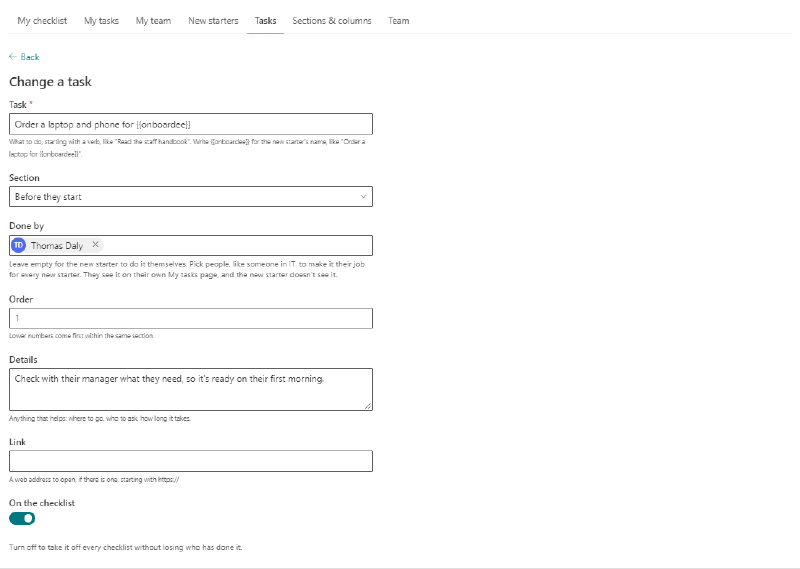
Pick who does a task with Done by, and it becomes their job for every new starter. It shows on their own My tasks page, soonest due first, and the new starter never sees it. Write {{onboardee}} in the task’s name and the new starter’s name appears there instead.
Everyone can see how it’s going#
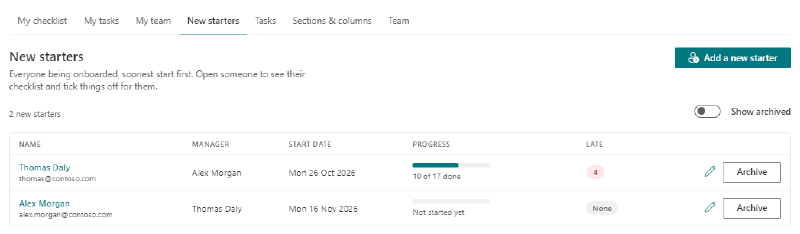
The New starters page lists everyone being onboarded, with their manager, start date and progress, and how many of their tasks are late. The progress includes the jobs other people are doing for them, so you can spot a held-up laptop order as easily as a late form.
Managers get a My team page with just their own new starters.
Open someone to see their board. The Onboarding Team can move tasks for them, which helps when someone has done a task but hasn’t marked it. Managers can look but not move anything.
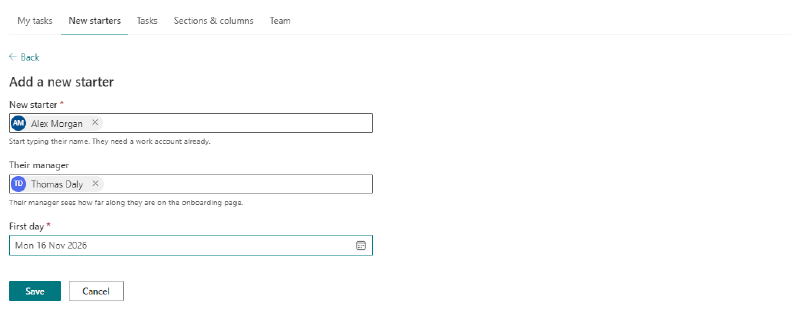
Adding someone takes three boxes: who they are, who their manager is and their first day. Their checklist is ready straight away, with every date worked out from that first day. When they’ve finished, archive them. They come off the page, but their progress is kept.
Make it fit your company#
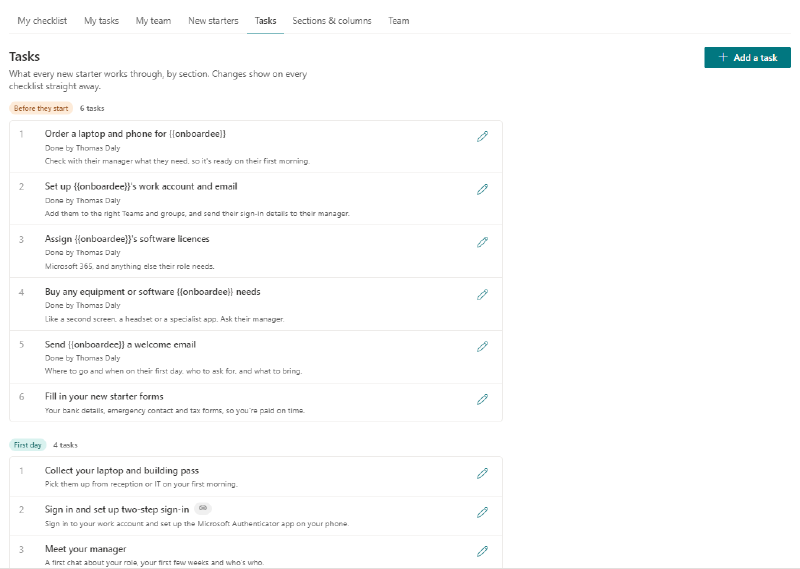
The starter set of tasks is only a beginning. Everything on the Tasks page can be changed, and changes show on every checklist straight away. Turn a task off to take it off every checklist without losing the record of who has done it.
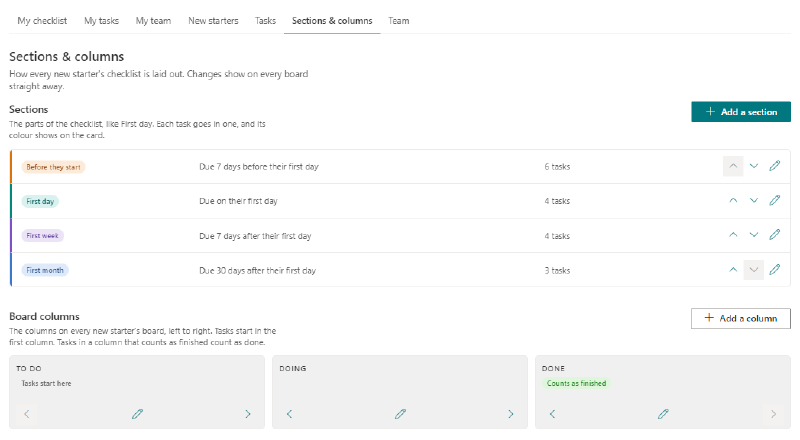
Sections & columns sets how every board is laid out:
- Sections are the parts of the checklist, like First day or First week. Each has a color, and its tasks are due a set number of days before or after the first day. A section can also have no due date at all.
- Columns are the steps on the board. Add, rename or reorder them, and choose which ones count as finished for the progress bar.
Who can see what#
- New starters get their own board, without the jobs other people are doing for them.
- People doing jobs, like someone in IT, get My tasks.
- Managers get My team, and can follow along without changing anything.
- The Onboarding Team and site owners run the lot. Site owners choose who's on the team.
Everyone else sees a short note saying there’s no checklist for them. Every list is hidden from the site contents and kept out of search, because people use them through the page.
What you’ll need to install it#
- A SharePoint Administrator to upload the package to your app catalog.
- A site owner to add the web part to a page and click Set up onboarding.
That’s it. There’s no permission request to approve.
Two things to know. New starters need a work account before they can be added. And it doesn’t send email, so you’ll need to tell people where to find the page.
The README on GitHub has the full steps.
Try it on your own site
Onboarding Checklist is free and open source under the MIT license. If you'd like help getting it running or changing it to suit your company, get in touch.