The people doing the work know what slows it down. Most of the time, their ideas end up in a hallway chat or an email nobody answers. Kaizen Ideas gives them a place on a SharePoint page to share an idea, back the ones they like and see what happens next.
Nothing extra to host
Ideas and votes live in SharePoint lists on your own site. There's no server to run and no outside service to sign up for.
One button to set up
Add the web part to a page and click Set up Kaizen ideas. It builds its own lists and its reviewers group, ready to use.
No extra permissions
There's no permission request for IT to approve, because it only uses SharePoint. It doesn't send email either.
Every idea in one place#
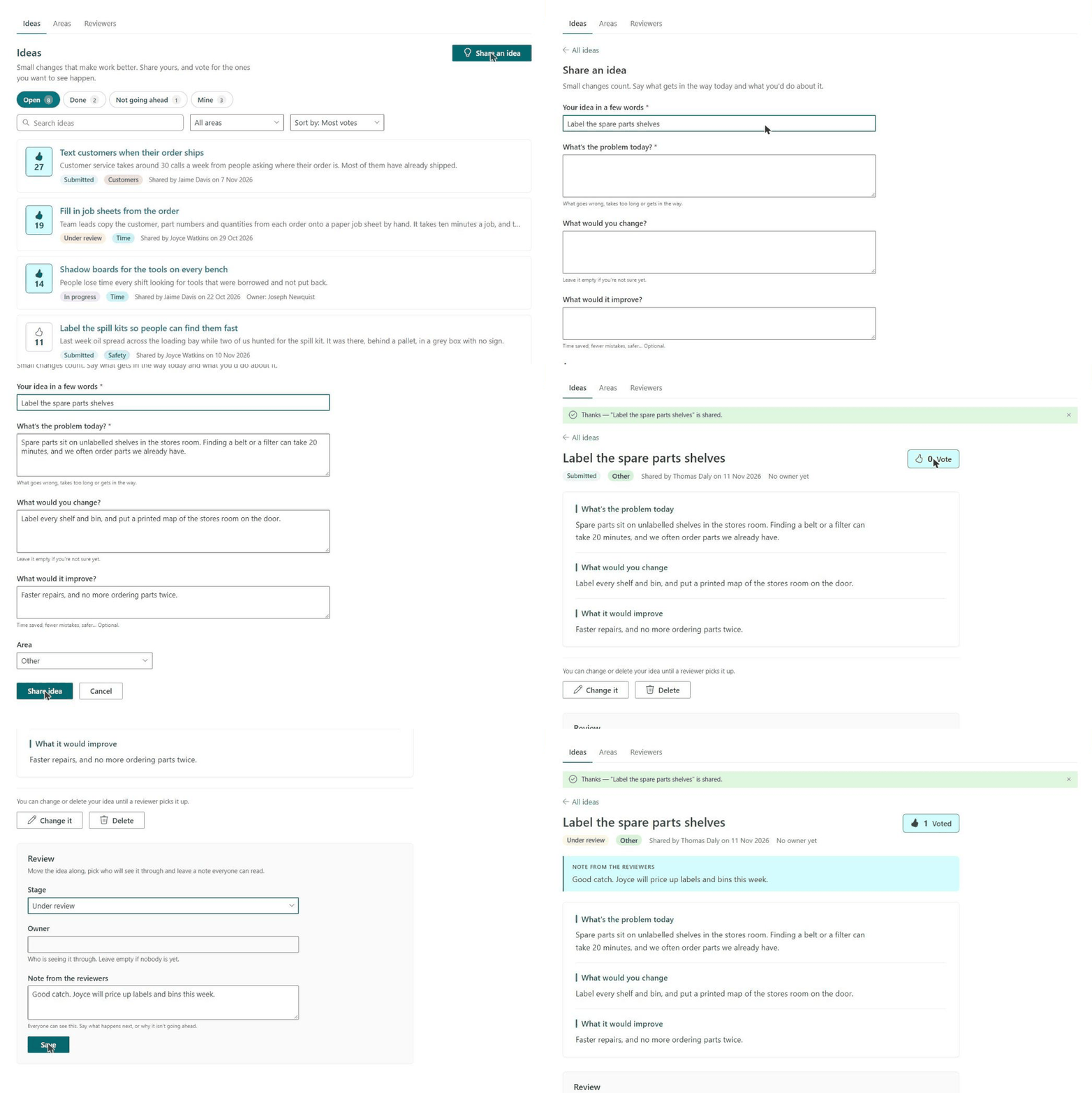
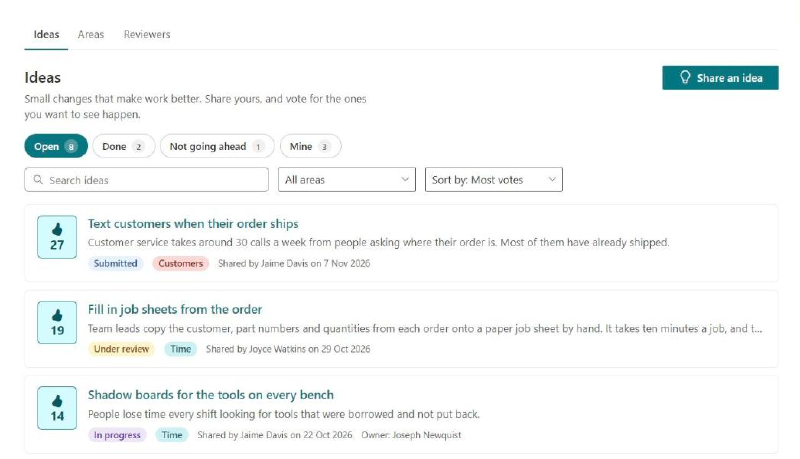
Everyone opens the page and sees the board: every idea, with how many people back it, its stage and its area. Pills along the top switch between open ideas, ones that are done, ones that aren’t going ahead and your own. Search, pick an area, or sort by most votes or newest.
Sharing an idea takes a minute#
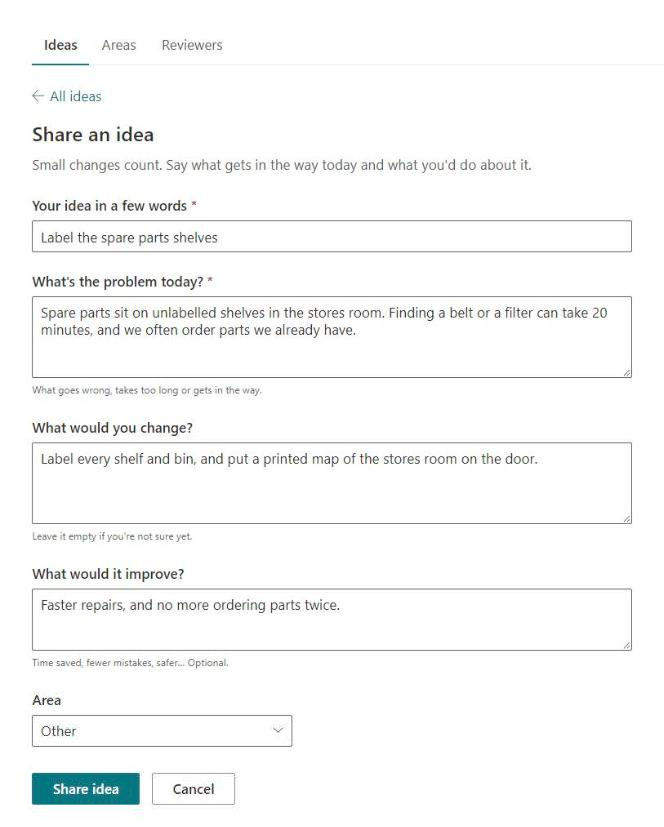
Share an idea asks three things: what gets in the way today, what you’d change, and what it would improve. Only the first two are needed, so a half-formed idea is still worth sharing.
Until a reviewer picks it up, the person who shared it can change it or delete it.
Vote for the ones you want#
One click backs an idea, and another takes the vote back. Each person counts once, so the most popular ideas rise to the top of the board on their own.
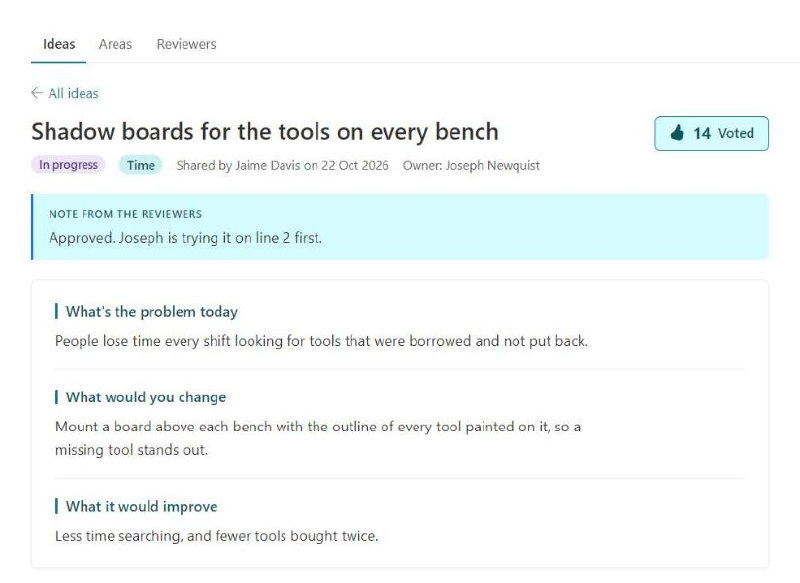
Open an idea to read it in full. Its stage, who owns it and the latest note from the reviewers sit at the top, so nobody has to ask what happened to it.
Reviewers keep things moving#
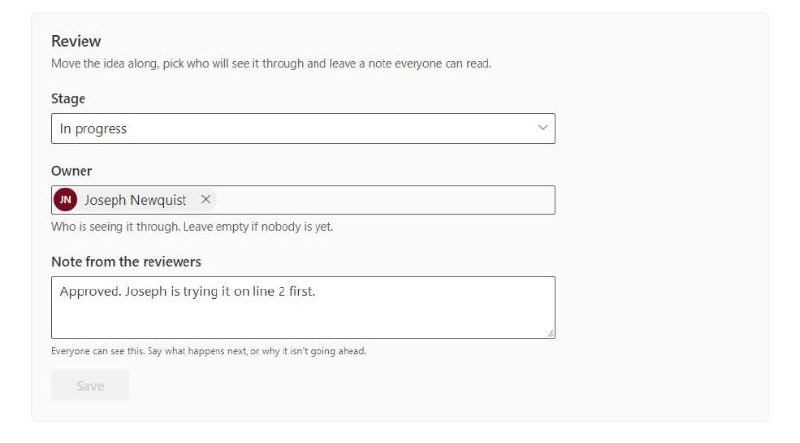
Reviewers see a Review panel on every idea. They move it through its stages, pick who will see it through, and leave a note everyone can read. Ideas go from Submitted to Under review, In progress and Done, or to Not going ahead, with a note saying why.
Make the areas your own#
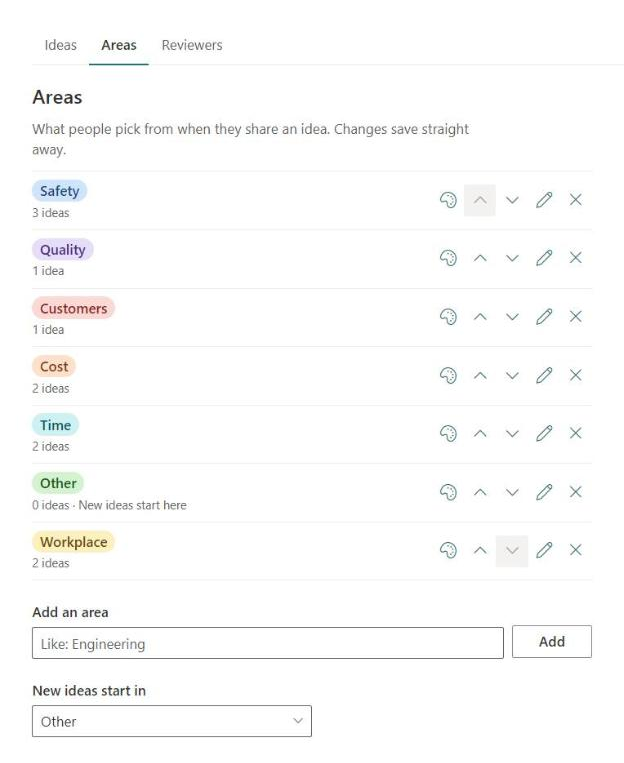
Ideas are sorted into areas, like Safety, Quality and Cost. These are only a starting point. On the Areas page, reviewers add, rename and reorder them, give each its own color and pick the one new ideas start in. Renaming an area moves its ideas with it.
Who can do what#
- Everyone sees every idea, shares their own and votes.
- The person who shared an idea can change or delete it until a reviewer moves it on.
- Reviewers move ideas through their stages, pick owners, leave notes and look after the areas.
- Site owners can do all of that, and choose who the reviewers are.
The votes list is hidden from the site contents and kept out of search, because people use it through the page.
What you’ll need to install it#
- A SharePoint Administrator to upload the package to your app catalog.
- A site owner to add the web part to a page, click Set up Kaizen ideas and pick the reviewers.
That’s it. There’s no permission request to approve.
Two things to know. Put it on a site where staff are visitors, like a communication site, because anyone with edit rights on the site counts as a reviewer. And it doesn’t send email, so you’ll need to tell people where to find the page.
The README on GitHub has the full steps.
Try it on your own site
Kaizen Ideas is free and open source under the MIT license. If you'd like help getting it running or changing it to suit your company, get in touch.